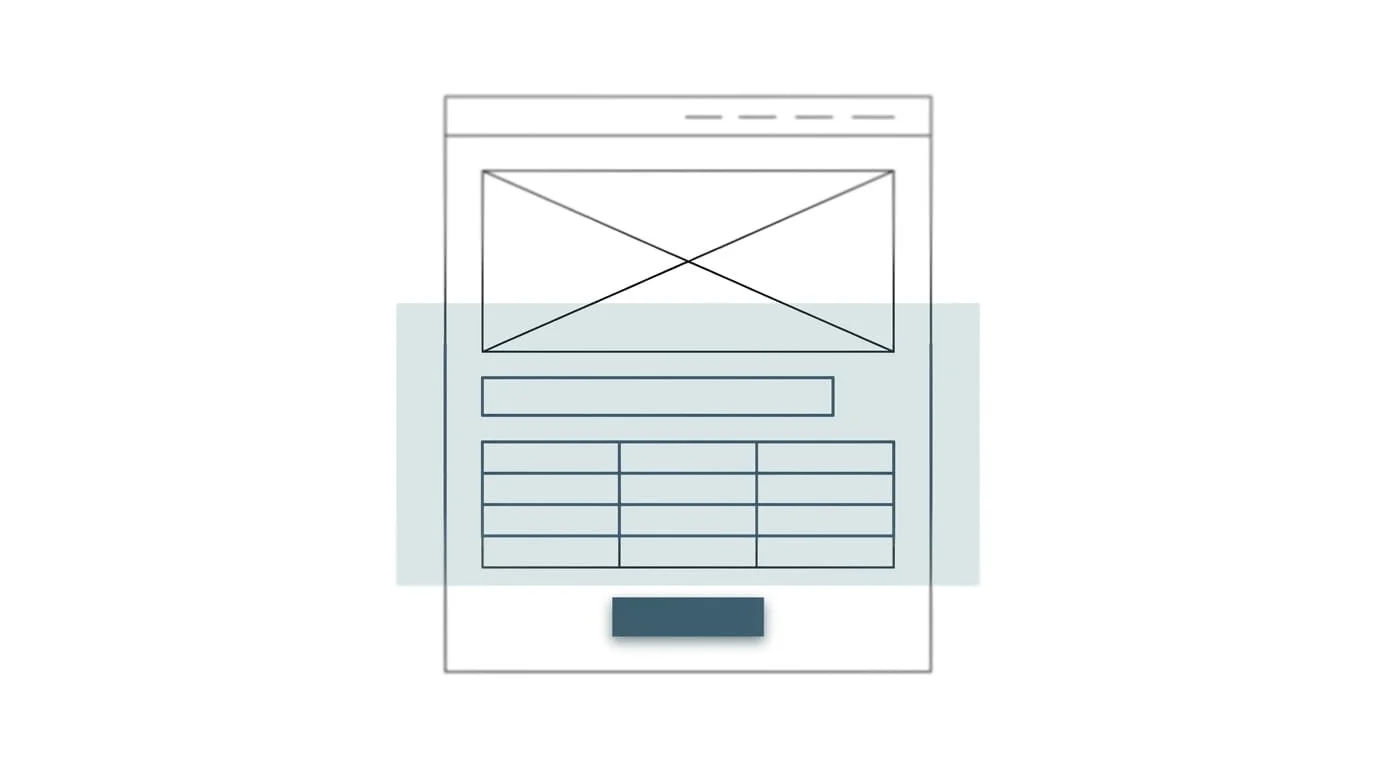
To optimize your website for AI, let AI search crawlers reach it, put key product facts in the raw HTML, add structured data that matches the page, answer buyer questions directly, keep facts consistent across every channel, and test real tasks with an AI browser agent.
I'm Kara Lineal, a marketing executive for consumer products, B2C, D2C, and B2B brands that want AI built into marketing operations. I have more than 20 years of experience building consumer brands and D2C e-commerce, including a D2C channel built to $5M at 65% margin, and I now apply agentic AI to the work.
Your website has a new kind of visitor: AI.
It doesn’t browse like a person. It looks for facts, compares your business with competitors, and, increasingly, clicks buttons or fills out forms for a customer.
This AI visitor’s role is growing fast.
OpenAI reported that ChatGPT has more than 900 million weekly active users as of March 2026.
Adobe reported that visits from AI sources to U.S. retail websites grew 393% year over year in the first quarter of 2026. Its analysis covered more than 1 trillion visits.
Cloudflare reported that AI "user action" crawling, where AI visits a page because a person asked it to, increased by more than 15x in 2025.
Tools that use websites on a person’s behalf are also becoming more mainstream. These include Claude in Chrome, Gemini in Chrome’s auto browse, and Perplexity’s Comet browser. These tools can help people navigate websites and complete tasks.
But many websites are difficult for AI to read. Adobe tested retail websites and found that, on average, AI could read 75% of homepage content and 66% of product-page content on U.S. retail sites. That means roughly a third of product-page content was unreadable by AI.
Your website now needs to work for both people and AI. These ten steps show you where to start.
Two ways AI uses your website
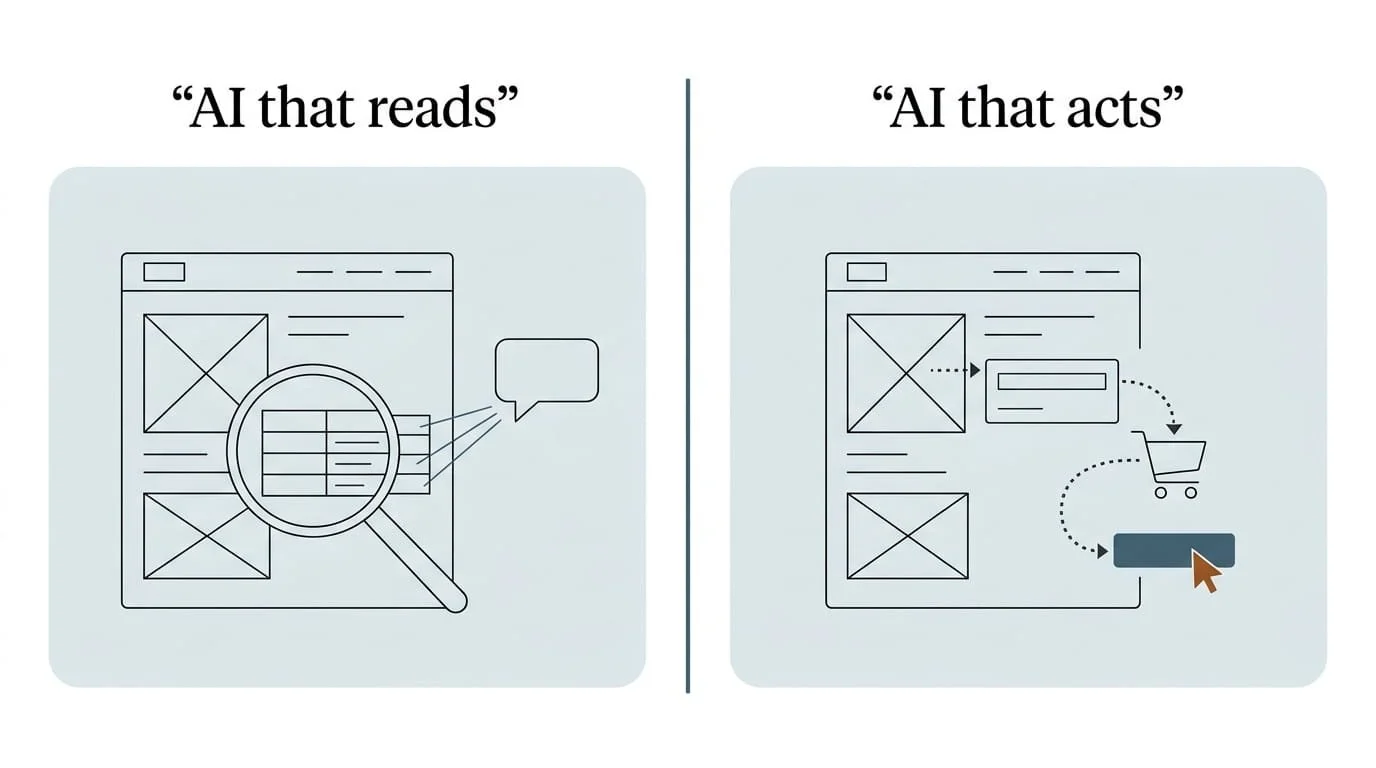
AI visitors fall into two main groups.
AI that reads
These tools gather information to answer people’s questions. Examples include Google’s AI Overviews, ChatGPT search, Perplexity, and Claude.Your goal: make your content easy to find, understand, and cite.
AI that acts
These tools complete tasks for someone. They might compare products, fill out a quote request, or add an item to a shopping cart.Examples include Claude in Chrome, Claude Cowork, Gemini in Chrome’s auto browse, and Perplexity Comet.
Your goal: make your website easy for these tools to navigate and use.
Most of the steps below help both kinds of AI visitors.
Step 1: Find out which AI visitors you already have
Start by checking your data:
Check your website analytics.
Create a channel group for AI referrals. ChatGPT adds utm_source=chatgpt.com to its referral links. Also look for referrals from:Check your server logs or CDN reports.
These records can help you identify AI tools visiting your site. Look for bot names, also called user agents, such as:OAI-SearchBot
GPTBot
ChatGPT-User
ClaudeBot
Claude-SearchBot
Claude-User
PerplexityBot
Check Google Search Console.
Google includes traffic from AI Overviews and AI Mode in its Search Console performance reports, under the “Web” search type.
Use these sources to answer two questions:
Which pages do AI tools visit most?
Which visits from AI tools lead to purchases, inquiries, or other valuable actions?
The answers will help you decide which pages to improve first.
Step 2: Decide which AI crawlers can access your site
Many companies blocked AI crawlers in 2023 and 2024 to protect content from model training. A company that blocks AI training crawlers may also have blocked search crawlers without realizing it.
Review your robots.txt file, as this file tells crawlers which parts of your site they may visit. Decide separately whether you want your content used for model training and whether you want it available in AI search. Use each company’s official documentation to check which crawlers serve which purpose:
| Purpose | Examples | What blocking does |
|---|---|---|
| AI search and citations | OAI-SearchBot (OpenAI), Claude-SearchBot (Anthropic), PerplexityBot (Perplexity) | Can remove you from AI search answers and citations |
| Model training | GPTBot (OpenAI), ClaudeBot (Anthropic), Google-Extended (Google) | Limits use of your content for training; Google says Google-Extended does not affect Google Search inclusion or ranking |
| User-requested visits | ChatGPT-User, Claude-User, Perplexity-User | Fetches pages when a person asks; OpenAI notes robots.txt rules may not apply to these |
OpenAI recommends allowing OAI-SearchBot if you want your website to appear in ChatGPT search results. This a deliberate business decision with legal, IT, and marketing involved. Don’t leave it to a default setting.
Step 3: Make important content available without JavaScript
Many websites use JavaScript to load product details, prices, reviews, and FAQs. People can see this information in their browsers, but some AI crawlers may miss it.
A December 2024 analysis by Vercel and MERJ found that none of the major AI crawlers it studied, including those from OpenAI, Anthropic, Meta, ByteDance, and Perplexity, rendered JavaScript. Google's Gemini (through Googlebot) and AppleBot were the exceptions.
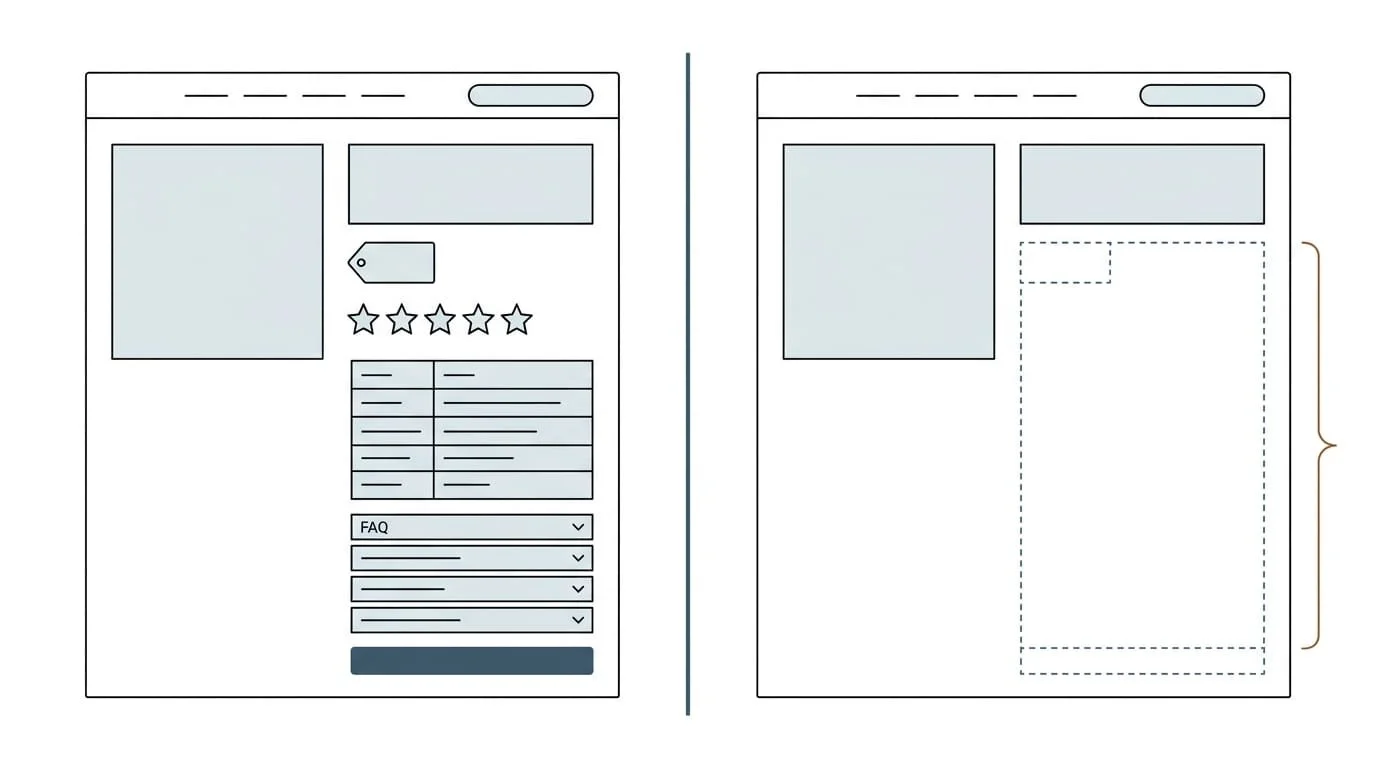
Left: the page a shopper sees. Right: what many AI crawlers get when prices, reviews, and specs load with JavaScript.
What to do:
Ask your developers to include essential information in the page’s initial HTML before JavaScript runs (server-side rendering or pre-rendering).
Prioritize product names, descriptions, specifications, prices, availability, and reviews.Check the page’s source code, not just what appears in the browser. If key facts are missing, some crawlers may miss them too.
Avoid putting important information only inside tabs, accordions, or images that require interaction or scripts to load.
Step 4: Use clean, semantic HTML and accessibility standards
AI browser agents navigate your site much like assistive technology does. They rely on page structure and labels to understand what a button, menu, or form field does.
OpenAI's publisher guidance recommends following WAI-ARIA best practices by adding descriptive roles, labels, and states to interactive elements like buttons, menus, and forms.
What to do
Use proper heading tags (H1, H2, H3) in a logical order.
Label every form field and button clearly. Use descriptive button text, such as “Get a quote,” rather than an unlabeled icon.
Use HTML tables for specifications and comparisons.
Add descriptive alt text to product images.
Following these practices also make your website easier for people with disabilities to use, an added benefit.
Step 5: Add structured data that matches the page
Structured data is code that labels information for machines. It can identify a product, its price, its availability, or the author of an article.
Google's guidance for AI features in Search recommends making sure structured data matches the visible content on the page.
What to prioritize:
Product and offer details
Name, brand, SKU or GTIN, price, availability, shipping, and return policyOrganization
Company name, logo, contact information, and links to official profilesArticle and person
Author, date, and credentials for blog and expert contentSite navigation brandcrumbs
Breadcrumbs that show where a page sits within your website
Structured data also supports newer AI tools. Microsoft's open NLWeb project, for example, builds on Schema.org markup to help sites offer natural language interfaces.
Step 6: Answer buyer questions directly on the page
AI assistants look for clear, specific answers. Pages written for brand storytelling often bury the facts. Put useful facts where buyers and AI can find them quickly.
Put the direct answer in the first sentence or two under each heading.
Write headings as the questions buyers ask: "What size do I need?" or "Is this approved for food contact?"
Add FAQ sections based on real questions from sales, customer service, and site search.
Include specifics AI can cite: measurements, compatibility, certifications, test results, and recommended uses.
Example
A commercial mattress protector product page might begin with a paragraph about the company’s commitment to quality. But that doesn’t answer a buyer’s practical question.
A more useful version would be:
Is it waterproof and safe for commercial laundry?
“Yes. The waterproof membrane is tested for repeated commercial washing and drying.”
Then list the supported wash temperature, relevant certifications, and available sizes.
The goal is clarity, not stronger claims.
Step 7: Keep your facts consistent everywhere
Make sure buyers get accurate information wherever they find your business. AI systems compare what your website says with what retailers, directories, reviews, and data feeds say. Conflicting information weakens trust and can lead AI to use the wrong details.
What to do
Check product names, specifications, prices, and availability across retailer listings, marketplaces, and product feeds.
Keep company details consistent across your website, Google Business Profile, LinkedIn, and industry directories.
Assign an owner for product data accuracy.
Google's guidance for AI features specifically recommends keeping Merchant Center and Business Profile information up to date.
Step 8: Make tasks easy for AI agents to complete
When an AI agent tries to request a quote, check stock, or add to cart on a buyer's behalf, friction that people tolerate can stop AI completely.
What to do
Ask an AI browser agent to find a product, compare two options, request a quote, or add an item to the cart. Watch where it gets stuck and record the problem.
Simplify forms and remove unnecessary fields.
Show price, stock, and shipping information clearly on product pages, not only in the cart.
Make site search and filters work with plain language and standard HTML controls.
Review bot protection settings with IT so they block harmful traffic without blocking legitimate AI assistants acting for real customers.
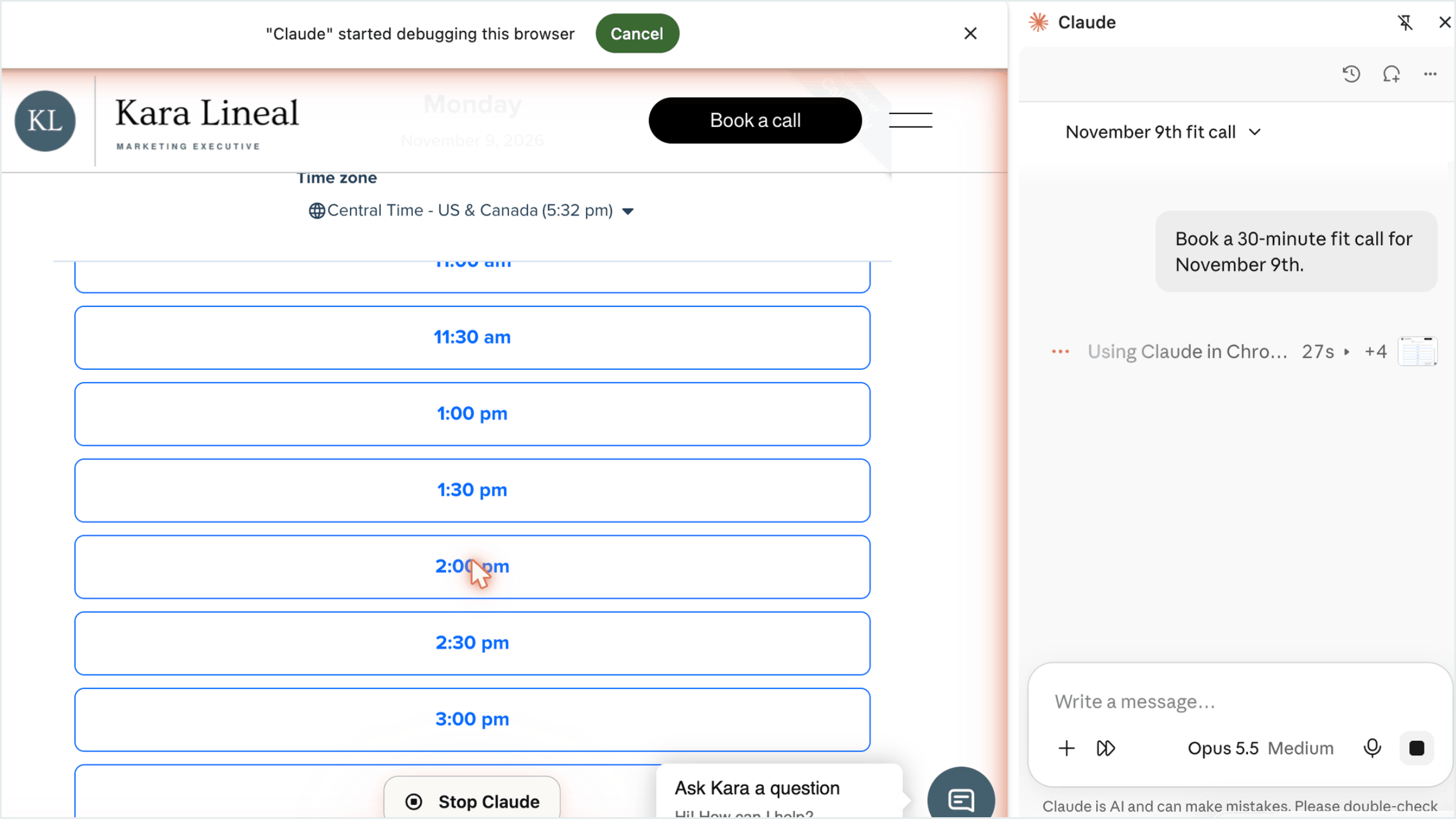
Testing a real task: an AI agent looking for the booking form on my own site.
Focus on the tasks that matter most to your customers and your business.
Step 9: Watch the emerging standards, but prioritize the basics
Several new standards aim to make websites easier for AI to read and use. Know what they are and where they stand:
llms.txt
A proposed file, introduced by Jeremy Howard in September 2024, that gives AI a simplified guide to your site's content. It is low cost to add, but Google says no new AI text files are needed to appear in AI Overviews or AI Mode, and Google's John Mueller has compared llms.txt to the keywords meta tag. Treat it as optional.WebMCP
A proposed web standard from Google Chrome that lets websites offer structured actions to AI agents. It is in an experimental origin trial starting in Chrome 149. Worth tracking, especially for e-commerce and lead generation sites.Agentic commerce protocols
OpenAI's Agentic Commerce Protocol (developed with Stripe) and Google's Universal Commerce Protocol and Agent Payments Protocol (AP2) are designed to let AI agents complete purchases. If you sell online, ask your e-commerce platform about its support and roadmap.
Don't let new standards distract from Steps 1 through 8. The fundamentals affect far more AI visits today.
Step 10: Test, measure, and improve regularly
AI platforms change quickly. Treat this as ongoing website maintenance, not a one-time project.
What to do
Run a quarterly AI readability check on your top 20 pages: raw HTML content, structured data, headings, and labels.
Test real buyer questions in ChatGPT, Gemini, Google AI Mode, Perplexity, and relevant retailer assistants. Track whether your pages are cited.
Test real tasks with AI browser agents and log where they fail.
Track AI referral traffic and conversion by page and category.
Share results with IT, e-commerce, and content teams so AI visibility becomes part of every website decision.
Where to start: a priority order
If you can only do three things this quarter:
Check your robots.txt so you aren't accidentally blocking AI search crawlers.
Make sure product and service facts are in the raw HTML, not loaded only by JavaScript.
Test your top three tasks with an AI browser agent and fix the biggest blockers.
What this means for marketing leaders
Website optimization used to mean designing for people and search engines. Now it also means designing for AI that reads on a buyer's behalf and AI that acts on a buyer's behalf.
Adobe's data shows the opportunity. In March 2026, traffic from AI sources to U.S. retail sites converted 42% better than other traffic. The buyers who arrive through AI are often further along in their decision. The sites that are easy for AI to read and use will be the ones AI sends them to.
Marketing doesn't need to own every technical fix. But marketing does need to own the question: can AI understand and use our website as well as our best customers can?
Have you tried completing a purchase or quote request on your own website using an AI agent? Respond in comments below.
Frequently asked questions (FAQs)
How do I optimize my website for AI search?
Allow AI search crawlers in robots.txt, make key content visible in raw HTML, use structured data that matches the page, answer buyer questions directly, keep facts consistent across the web, and test your pages in AI assistants regularly.
Do AI crawlers read JavaScript?
Many don't. A December 2024 Vercel and MERJ analysis found that the major AI crawlers it studied from OpenAI, Anthropic, Meta, ByteDance, and Perplexity did not render JavaScript, while Gemini (through Googlebot) and AppleBot did. AI browser agents that run in a real browser can execute JavaScript.
Do I need an llms.txt file?
It's optional. llms.txt is a proposed standard, but Google says no new AI text files are needed to appear in AI Overviews or AI Mode. Focus first on crawler access, readable HTML, structured data, and clear content.
Sources
OpenAI, ChatGPT weekly active users (March 2026)
Adobe, AI traffic to U.S. retail sites and machine readability scores (April 2026)
Cloudflare, "Radar 2025 Year in Review" (December 2025)
Anthropic, "Claude in Chrome is now generally available" (August 2026)
Google Chrome for Developers, "Chrome at I/O 2026" (May 2026)
Perplexity, "Comet is now available to everyone worldwide" (October 2025)
Vercel and MERJ, "The rise of the AI crawler" (December 2024)
Microsoft, "Introducing NLWeb" (May 2025)
llms.txt proposal (September 2024)
Search Engine Journal, "Google Says LLMs.txt Comparable To Keywords Meta Tag" (April 2025)
Google Chrome for Developers, "WebMCP early preview" (February 2026)
OpenAI, "Buy it in ChatGPT" and the Agentic Commerce Protocol (September 2025)
Google Cloud, "Announcing Agent Payments Protocol (AP2)" (September 2025)
AI-assisted research and drafting; independently reported, verified, and edited by the author.